
Why Kriti AI Designer works the way it does
The AI describes the page. The Pattern Library decides how it looks. Asking a language model to invent layouts produces fragile, inconsistent markup. Designer asks AI for what it's good at, which is understanding your page and writing your content. The design itself comes from tested patterns.
Native blocks, not a page builder. Everything Designer creates is standard Gutenberg blocks. There's no proprietary builder, no lock-in, and nothing breaks if you stop using Designer.
Your theme stays in charge. Patterns carry no colours or fonts of their own, so new sections look like the rest of your site from the first click.
Nothing is silently overwritten. New sections are inserted where you choose, replacing a page always asks first, and every redesign is a single step you can undo.
Describe the page you need. Kriti AI Designer builds it with you. It plans the sections, picks matching designs from the Kriti Pattern Library, writes the content and inserts real Gutenberg blocks that you can edit like any others.
Design a whole page
- Describe the page: “A page for my bakery in Kathmandu, warm and friendly.”
- Review the blueprint: reorder, rename, add or remove sections.
- Click Build Page. Each section gets a pattern and fresh content.
- Refine any section: regenerate it, change its pattern, or edit it by hand.
Or design one section at a time
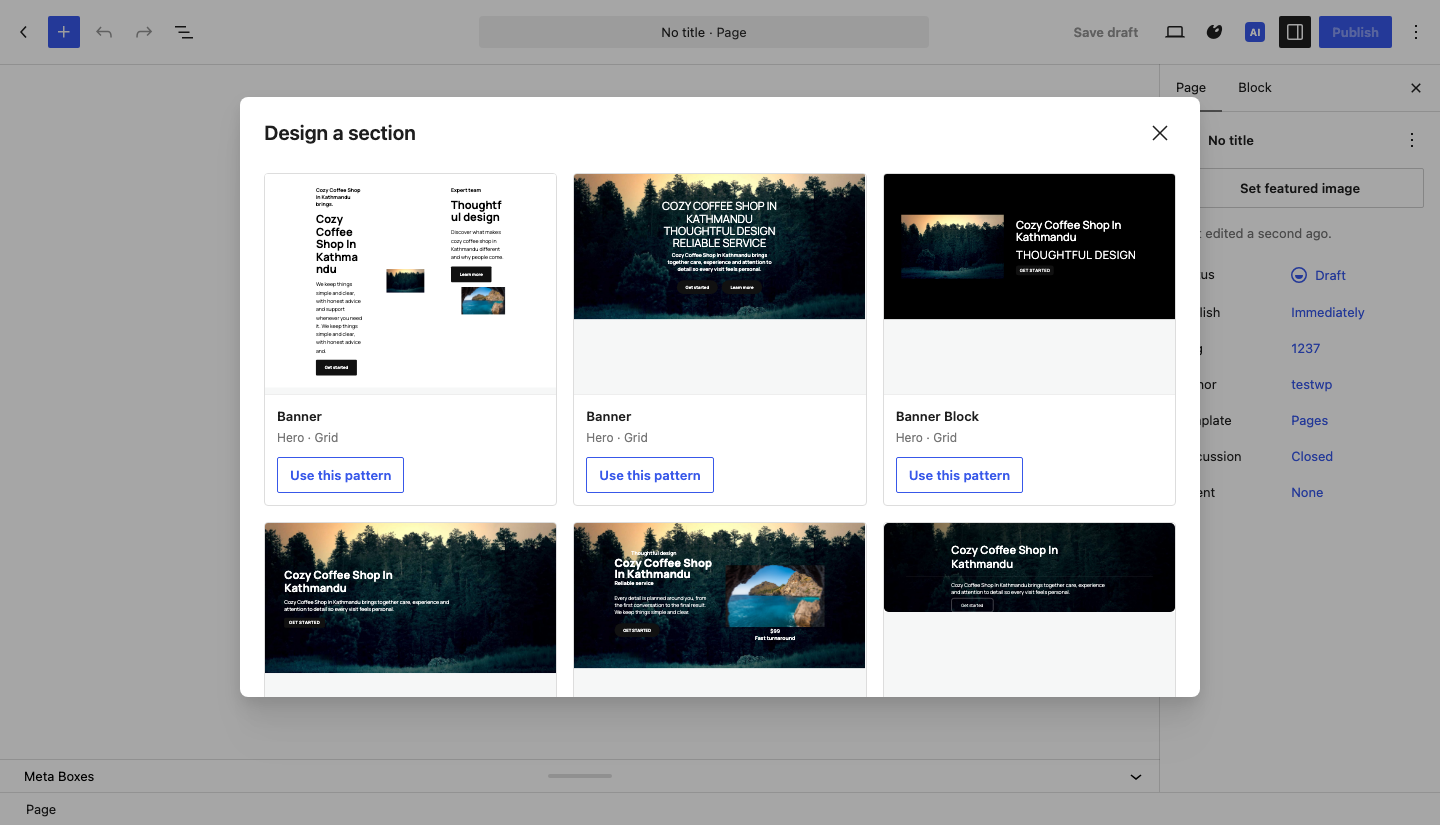
Need just a pricing table, a team section or an FAQ? Describe it, choose the industry, style, light or dark background and layout, compare live previews, and insert it exactly where your cursor is. Your existing content is never replaced.
Redesign anything with one click
Hover over any Kriti section and click its Kriti AI tag:
- Recreate section: a new design and fresh copy
- Try another design: a new layout that keeps your text and images
- Rewrite content, Make shorter, Make longer
Each click shows a design you haven’t seen yet, and Ctrl+Z always takes you back.
AI images that wait for you
Generate images for every image slot with the image provider you set up in Kriti AI. Review and edit each prompt and its alt text first. Images stay drafts until you publish the page, and unused ones are cleaned up automatically.
The Kriti Pattern Library
- Thousands of section designs: heroes, features, services, pricing, team, testimonials, FAQ, galleries, contact, stats, logos, calls to action and more.
- Your theme’s look: patterns use your theme’s colours, fonts and spacing.
- Tested in the block editor before they’re offered, so sections open cleanly with no “unexpected content” warnings.
Highlights
Prompt to page in minutes
A blueprint you approve, then a complete page of real blocks: hero, introduction, features, gallery, FAQ and call to action.
Live pattern previews
Compare designs side by side with sample content before you choose, and ask for more options at any time.
The Kriti AI tag
Every generated section carries a small Kriti AI tag. Recreate it, try another design or rewrite its copy without leaving the canvas.
Draft-first AI images
Generated with your own Kriti AI image provider, reviewed before they're created, and published only with your page.